Who it's for
Firewood round software for the one who does it all.
Software for a small firewood business, for the owner who takes the orders, loads the van, drives it and chases the money. Start with the pool and the run sheet; leave the rest until you want it.
A better notebook, not a second job.
Firewood round software for one wagon has to be small, like the business. You take the order, load the van, drive it and knock on the door. There's no office to train and no evening to spare.
So LogRun starts with two things: the pool, where all your orders wait together, and the run sheet you print and take in the cab. The big gain is typing each order once. Not three times: from the text, into the diary, then onto the sheet.
An example (invented, not a real yard)
Thursday in the middle of October.
Ron has one van and a notebook on the dashboard. By Wednesday evening orders have come by text, some of them well after supper, by phone and over the fence. Most were typed into the pool as they arrived.
On Thursday morning he ticks the orders for HX3 and HX4, picks the date and makes a run. The load sheet says what goes on the van. The run sheet gives one block per drop, with the gate notes and whether it's paid.
The van only holds so much, and LogRun doesn't check that for him. The totals by product do show what is on the run, and the call stays with the person who knows the van.
What you see when you sit down.
Today is where the day starts, before the van is loaded.
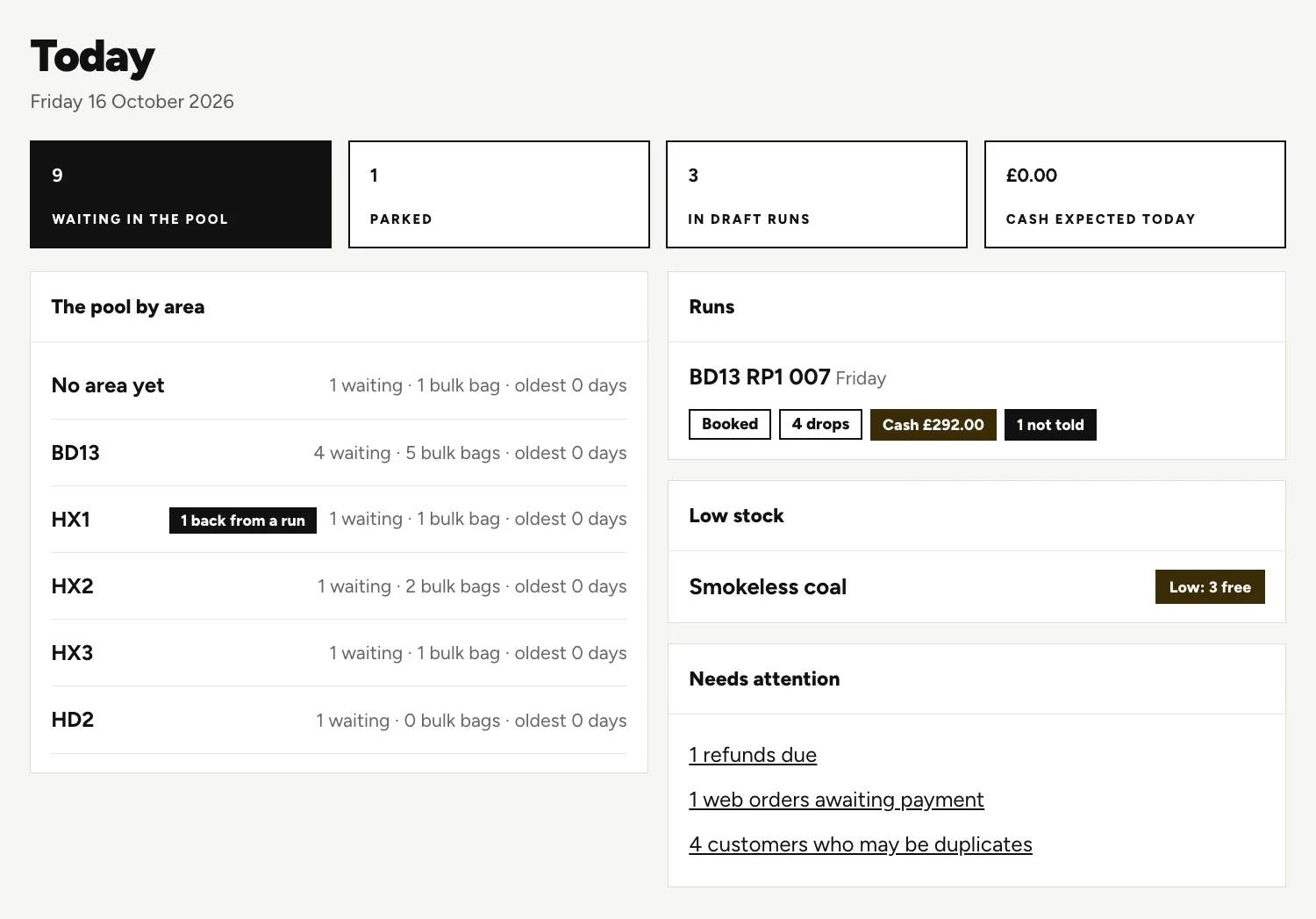
Four boxes
How many orders are waiting, how many are parked, how many sit in a draft run, and how much cash is due today.
The pool by area
Orders are grouped by area, so you see which part of the round is filling up.
Runs, and what is low
A booked run for the day sits beside any product running short.
Needs attention
Refunds due, web orders awaiting payment, and customers who may be on the list twice.
Start with the pool and the run sheet.
Put the orders in the pool
Type each text and phone call in once, with the customer's details and where to leave the wood.
Make the day's run
Tick a group of orders and choose the date and your van. The trip number and run code are made for you.
Print and go
One sheet stays in the yard with the stock, one rides in the cab. Both are plain black and white on A4.
Finish when you are home
Tick what was delivered, give a reason for anything that wasn't, and enter the cash.
What can wait.
A small yard doesn't need every feature, and you won't use them all. Here's what can wait.
The online shop
Phone and text orders go in by hand, so you can run without it. Add the shop when you want orders arriving while you drive.
Stock counts
Worth it when you sell enough lines to lose track of the yard. Until then your own eyes do the job.
Trade prices and invoices
Only if pubs or builders buy from you and need their own prices or an invoice.
Delivery time windows
If customers are happy with a day, the day is enough.
Questions people ask.
Is this too much for a one man firewood business?
It could be, if you used every part. You don't have to. Start with the pool and the run sheet, and add the rest only when something starts to slip.
Do my customers have to stop texting me?
No. They can text, ring or order in the shop. You type texts and calls in once on the phone order screen, and shop orders land in the same pool by themselves.
What if I do two runs in a day?
Make two runs. Each has its own date, driver and van, and the trip number counts up for you, so the second is trip two.
What if I am ill and someone covers for a day?
That's partly what the notes and the run sheet are for. Gate codes, where to leave the wood and cash to collect are written on the sheet, so whoever covers isn't working from your memory. They still need to know the van.
Should I wait for a quiet month to switch?
New screens are easier to learn when the van isn't going out daily. If you're busy now, talk to us anyway. We bring your customer list across, so you aren't retyping it.
Keep reading.
Want to see it run on your yard?
Tell us how you take orders and run your deliveries today. We'll show you LogRun working on a yard like yours, and tell you honestly if it isn't the right fit.