Log delivery software, from the first order to the last drop.
Log delivery software for yards that take logs and firewood to people's homes. Follow one delivery day, as the office lives it and as the driver does, from waiting orders to a finished run.
Which kind of log delivery do we mean?
Search for log delivery software and you'll meet cloud logging tools, server logs and parcel trackers. This page is about none of those. It's about software for a yard that delivers logs and firewood to people's homes.
LogRun is firewood delivery software for the office behind the van. It holds the orders, builds the runs, prints the paper and takes back whatever didn't get delivered. The easiest way to see it is to follow one day.
Early on, every waiting order is in the pool.
The office opens the pool. Orders from the shop and from phone calls sit together, grouped under their delivery area, in postcode order.
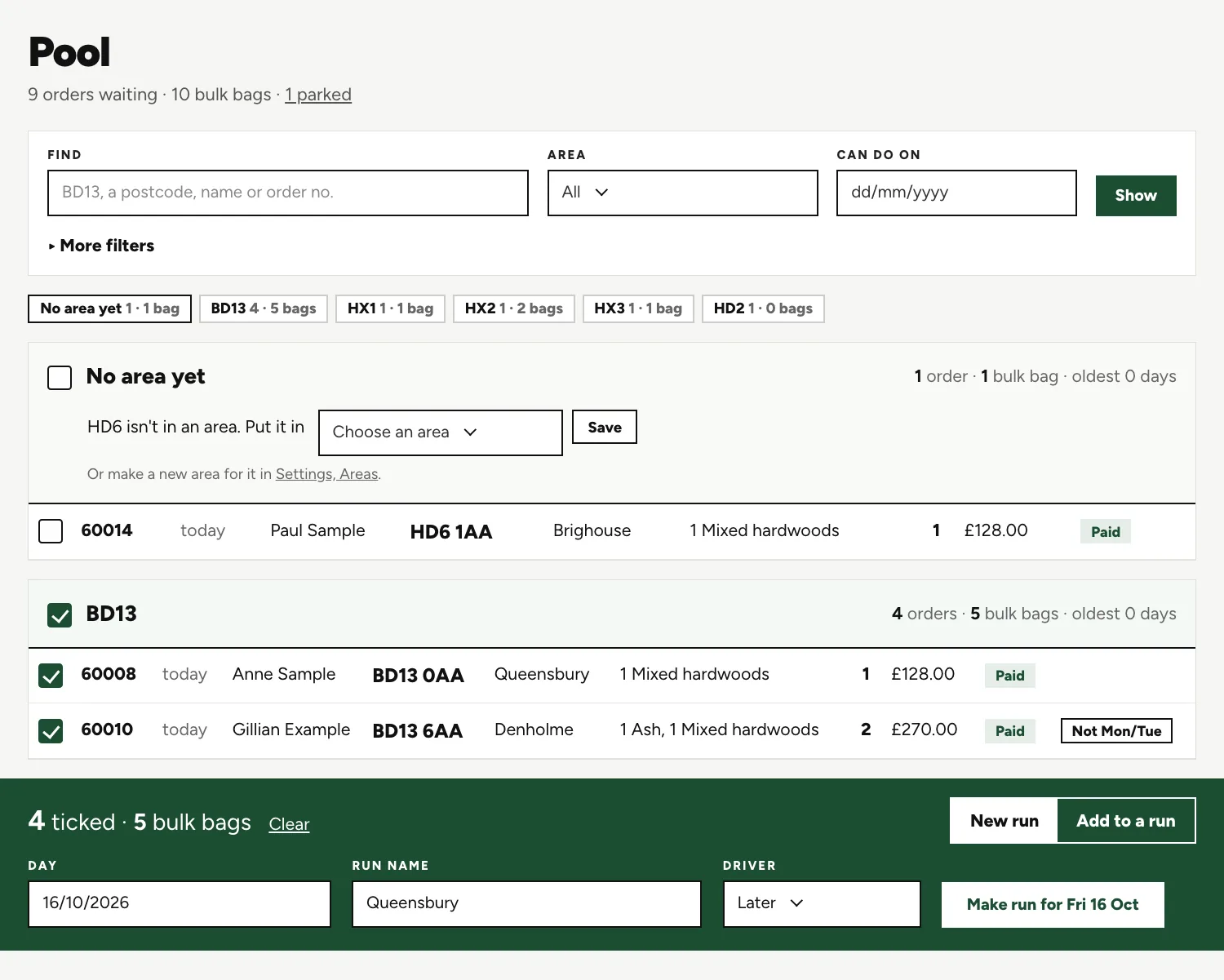
Tick an area
Tick a group and the dark bar counts it for you, here 4 orders and 5 bulk bags.
Name the run
The same bar has boxes for the day, a run name and the driver.
Make it
One button makes the run, here for Fri 16 Oct. Its code and trip number are filled in for you.
Booking the run tells the customers.
Next the office sets the order of the stops, dragging them about or sorting on postcode, and reads any warnings about can't-do days or unpaid orders. Then it books the run.
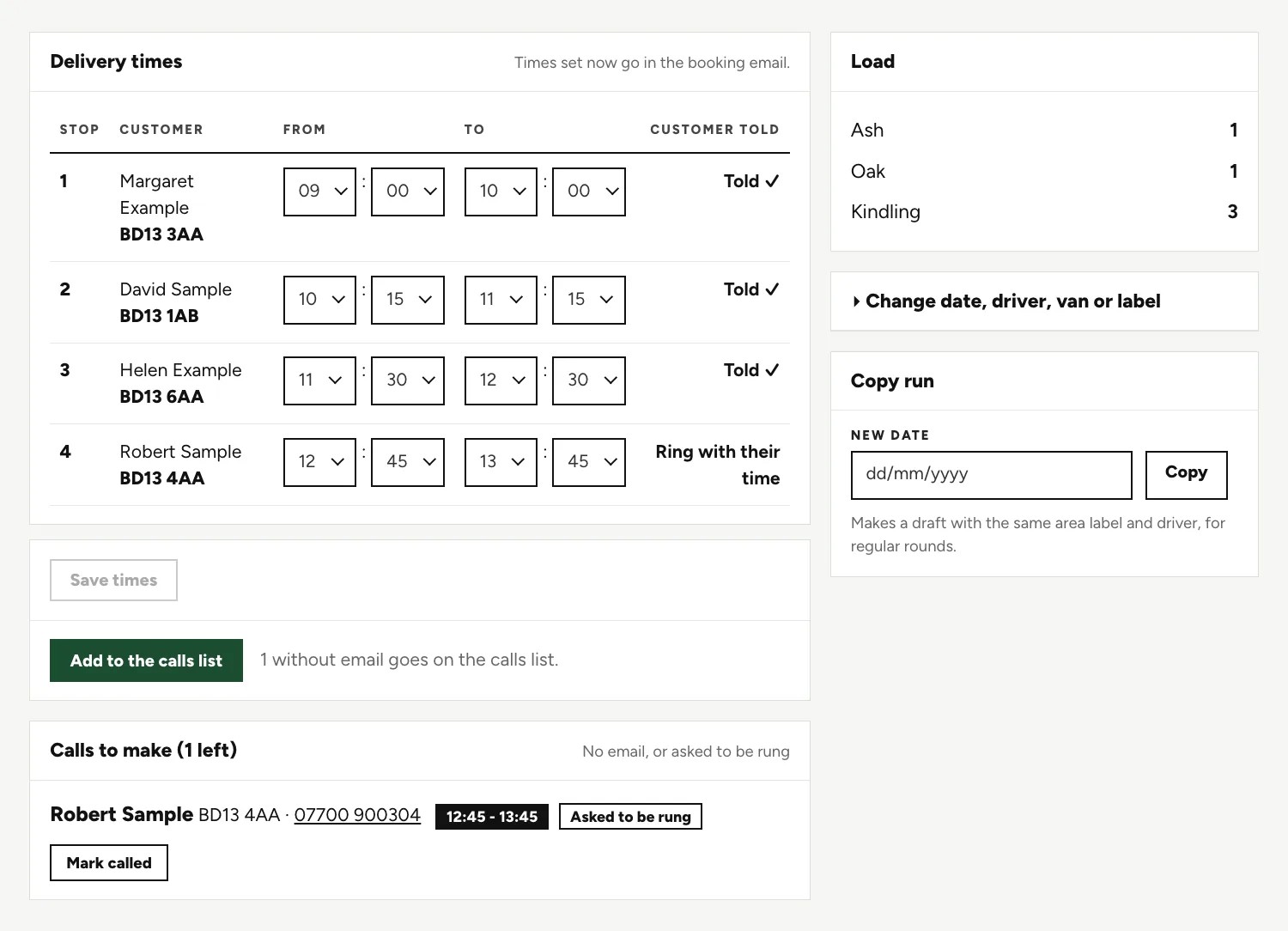
Told
Every customer with an email gets their delivery day, and the tick shows it went.
Ring with their time
A customer with no email is marked for a call. One button adds them to the calls list.
Calls to make
The list shows each phone number and a Mark called button, and it prints.
The driver goes out with paper.
There's no app for drivers. The sheets are A4 PDFs in black and white, printed in the office, and the driver keeps whatever sat nav they already trust.
Load sheet
What the yard loads onto the wagon, run by run.
Run sheet
One block per stop, with payment status, access notes, cash to collect and a tick box for delivered.
Delivery note
A single-stop note, for the drop that needs its own paper.
Day sheet
Each product, run by run, for a chosen day, so the stack is ready before the wagon backs up.
When the wagon is back, finish the run.
The driver hands in a ticked run sheet, some cash and a few notes. The office types them in.

Delivered or not
Tick each stop delivered. If one wasn't, the reason goes in the box beside it.
Cash and notes
Each stop has a box for cash collected and one for the driver's note.
Back to the pool
Anything not delivered goes back to the top of its area. A tick emails the customer the reason.
Two extras, if your yard wants them.
Neither comes as standard. We build them on request, for a yard that asks.
A route planner for drivers Extra
A driver's view of the run in order, showing the way to each next stop.
Text messages to customers Extra
A text for the day, the time window or an on-our-way message, sent alongside the emails.
Questions people ask.
Is log delivery management software the same as log management?
No. Log management is about computer logs. LogRun is delivery software for log merchants, with orders, runs, paper sheets and customers in it, not servers.
Where does an undelivered order go?
The office marks the stop as not delivered and gives a reason. The order goes back to the pool at the top of its area, first in line for the next run.
Can I change a run after the sheets are printed?
Yes. You can change an order after the run is booked or printed, and the run shows as changed since printed, so you know to print it again.
What does the driver actually get from the system?
A printed run sheet, with the stops in the order the office set, by hand or by postcode sort. There's no login, no app and no automatic route, and the driver keeps their usual sat nav. A route planner for drivers is something we can add for your yard.
What about a customer who can't take certain weekdays?
The order is flagged, for example Not Mon/Tue, and a run on one of those days shows a warning. The office sees it before booking.
Do customers get a time as well as a day?
Times are optional. You can give each stop a one-hour window and press Send times. Without them, the customer still gets their day by email.
Keep reading.
Want to see it run on your yard?
Tell us how you take orders and run your deliveries today. We'll show you LogRun working on a yard like yours, and tell you honestly if it isn't the right fit.